

SEOUL — An investigation published this week by hardware review channel Gamers Nexus alleges that some LG smart televisions can capture microphone audio and generate plaintext speech transcripts even when their screens appear off, store that data locally while disconnected from the internet, and later transmit information once connectivity returns.
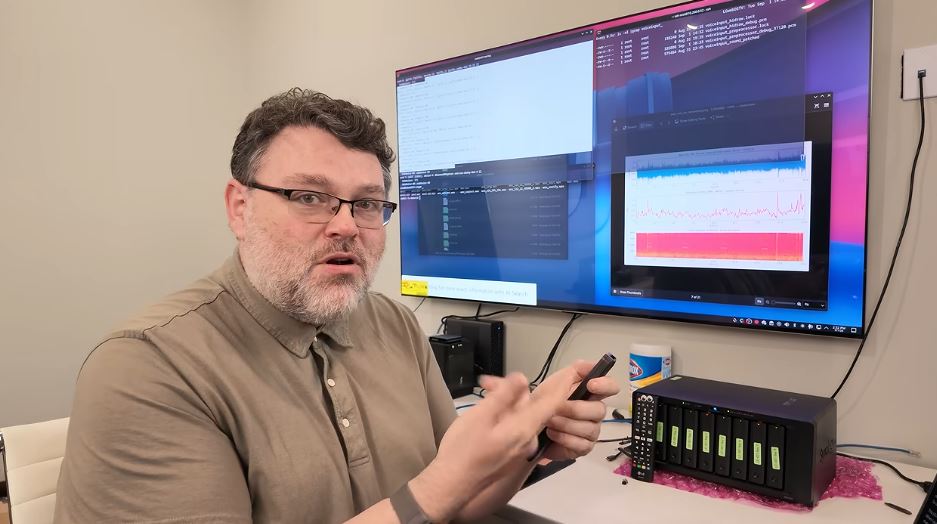
The roughly two-hour-and-15-minute video, titled “216,000,000 Spy TVs | The LG Smart TV Problem” and posted on Sunday, September 6, was produced with Level1Techs and independent security researchers. Testers examined retail LG OLED sets, including flagship G5 models. Packet captures showed the televisions scanning home networks for phones, watches, printers and other devices, logging nearby Wi-Fi names and signal strengths, and sending data associated with LG’s advertising business, LG Ad Solutions.



LG Electronics has rejected the central claim that its sets routinely record household conversations.
In a statement provided to India Today, the company said the video’s claims “are not true” and that its TVs “process voice data only when the voice button on the remote control is pressed and held, or when a wake word such as ‘Hi LG’ is recognized after the user has activated the Far-Field voice recognition feature.”




Other than those cases, LG said, the sets “do not collect or record ambient conversations.”


Wake-word audio that does not match, the company added, is processed on the device and deleted. Network discovery, LG said, is a standard smart-TV function used for device connectivity and smart-home features.


The findings land four months after a May settlement with Texas Attorney General Ken Paxton requiring LG to obtain informed consent before using automatic content recognition, or ACR, to collect viewing data. ACR samples audio and video from what appears on screen — including HDMI sources — to identify programs, ads and apps for targeting and measurement. Industry researchers have long documented similar systems across many smart-TV brands.
What the testers reported
Gamers Nexus editor-in-chief Steve Burke called the overall data collection “an egregious invasion of privacy,” The Register reported. Level1Techs’ Wendell Wilson noted that storing text transcripts is cheap and durable.
The technology investigators described two overlapping issues. First, they said native advertising and discovery features map devices on a local network and feed viewing and household signals to LG Ad Solutions, which has marketed reach into hundreds of millions of “secondary devices” beyond the TVs themselves. Second, after gaining deeper access to a test unit — including rooting it to inspect logs — they said they recovered on-device speech-to-text files of spoken phrases, including conversation that continued for about 10 to 15 seconds after a voice command. They also reported capturing usable microphone audio while a set was in standby and after Ethernet was unplugged, with files remaining on the device until it came back online.
Researchers said they are disclosing remote-code-execution flaws in LG’s webOS through responsible channels and argued those bugs could, in the wrong hands, turn a networked television into a listening device.

LG’s software includes an “Always Ready” or Far-Field mode that keeps the set able to hear a wake word after the screen goes black. That convenience is the feature the company says explains residual microphone activity in standby — and the feature owners can turn off.
How to reduce recording and tracking
No software toggle is a complete substitute for keeping a television off the internet. Still, owners who want to keep the set connected can sharply cut what it collects.
The most effective step is to disconnect Wi-Fi and Ethernet, then use an external streamer such as an Apple TV, Roku or Fire TV Stick over HDMI so the LG panel functions mainly as a display. Firmware can often be updated from a USB drive rather than over the network.
On many webOS models, disable ACR by opening Settings, then General, System and Additional or Advanced Settings, and turning off Live Plus. Lifehacker and How-To Geek publish similar walkthroughs.
In Support or Privacy & Terms, review User Agreements and opt out of Viewing Information and Voice Information. Use any “Delete my viewing information” command, and enable Limit Ad Tracking. Turn off Always Ready / Far-Field voice so the set fully powers down instead of waiting for “Hi LG.” Disable hands-free voice recognition if a separate switch exists.
Menu names vary by year and region, and updates can restore defaults, so settings should be rechecked after firmware changes.
Placing the television on a guest or isolated network limits how much of the home it can see. Software mute options may not disable every microphone at the hardware level; investigators said a secondary mic remained usable after the main control was switched off. Completely unplugging the set from power is the only way to guarantee the hardware is inert.
For households that want the screen without the listening post, the practical answer remains simple: treat the TV as a monitor and keep the smart features somewhere else.

Author: Mario Lotmore